VISION from SALT

A Digital Marketing Communication Strategist who is an expert in digital marketing, especially Website Optimization through SEO and Digital Advertising, enjoys sharing insights about developing Websites & Mobile Apps, Artificial Intelligence (AI), and other Technology Developments.

Robotic AI for Enterprise Automation: Beyond Bots, Toward Autonomous Operation

Robotic AI for Enterprise Automation: Beyond Bots, Toward Autonomous Operation

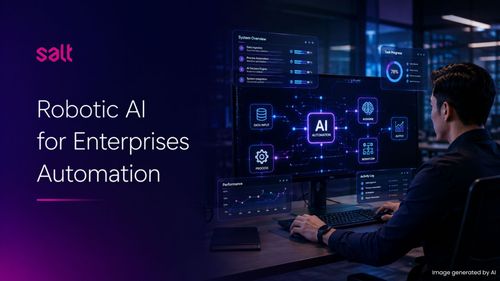
For decades, enterprise automation meant giving software a fixed set of rules and watching it follow them. A bot copies data from one system to another. A script triggers an alert when a threshold is crossed. Reliable, but fundamentally passive.Robotic AI changes this equation entirely. Instead of systems that wait for instructions, Robotic AI deploys autonomous digital workers that analyze context, make decisions, and act — continuously, at scale, across complex enterprise environments.This is not an incremental upgrade to automation. It is a different category of capability.What Is Robotic AI?Before examining what Robotic AI does in practice, it is worth being precise about what it actually means.Robotic AI is the convergence of artificial intelligence, automation, and systems integration into autonomous agents that can execute tasks, reason over business logic, and continuously improve with minimal human intervention — operating as independent digital workers embedded across enterprise operations.The critical distinction from traditional automation is the capacity to reason. A conventional RPA bot follows a defined script — if X, do Y. A Robotic AI agent reads context, evaluates conditions across multiple data sources, makes a judgment, and takes action — including actions its configuration never explicitly anticipated.This reasoning capability is what enables Robotic AI to handle the exceptions, unstructured inputs, and dynamic business conditions that cause traditional automation to stall or escalate to humans.The 3-Layers of SALT's Robotic AISALT engineers Robotic AI not as an isolated product, but as a deeply integrated enterprise capability built across three interconnected layers:Software Automation ArchitectureAPI-first workflow engines that combine rule-based logic with AI-assisted decision-making. This layer eliminates repetitive enterprise tasks and creates the operational foundation on which AI agents run.Autonomous Robotic AI AgentsAI models that independently analyze data, reason over business logic, and execute multi-step tasks as digital workers. These agents operate 24/7 with consistent accuracy — reducing manual workload across operations without requiring human supervision for routine decisions.Enterprise System IntegrationSecure, seamless connectors to ERP, CRM, CMS, and internal tools via automation gateways and service meshes. Without deep system integration, automation remains fragmented. SALT builds the connective infrastructure that allows agents to operate across the full enterprise stack.Together, these layers allow enterprises to transition from assisted workflows — where humans remain in the loop for most decisions — to self-operating ecosystems designed for long-term operational resilience.Why "Reasoning" Changes EverythingThe distinction between a bot and a Robotic AI agent is not technical nuance — it has direct consequences for what can and cannot be automated.Consider a standard accounts payable process. A traditional RPA bot can extract invoice data from a PDF and post it to an ERP — but only if the document follows the expected format. An unrecognized layout, a missing field, or an ambiguous line item triggers a failure and an escalation to a human operator.A Robotic AI agent handles the same task differently:Reads the invoice regardless of format, using intelligent document processingCross-references vendor records, contract terms, and approval thresholds across systemsFlags genuine anomalies, routes exceptions by severity, and completes routine cases autonomouslyLearns from each exception to improve handling accuracy over timeThe result is not just faster processing — it is a fundamentally different error rate, exception rate, and human workload profile. This same reasoning capability applies across any enterprise process that involves variable inputs, conditional logic, or multi-system coordination — which describes the majority of high-value enterprise workflows.Robotic AI in Action: Implementation Across IndustriesRobotic AI delivers the most measurable impact in industries characterized by high transaction volume, complex compliance requirements, and multi-system operational environments. Here is how it applies across three core enterprise sectors.a. Banking and Financial ServicesIn banking, Robotic AI addresses one of the sector's most persistent operational challenges: high-volume, compliance-sensitive processes that demand both speed and accuracy simultaneously.A Robotic AI agent deployed in a loan origination workflow can independently retrieve and verify applicant data from credit bureaus, internal banking systems, and third-party databases — cross-referencing against current regulatory criteria and risk thresholds. Routine applications are pre-assessed and queued autonomously; only complex or borderline cases are escalated to a human credit officer. A process that previously required 3–5 business days can be compressed to hours.In fraud detection, Robotic AI agents monitor transaction streams in real time, identify behavioral anomalies against individual account patterns, and — based on configured severity thresholds — can freeze accounts, notify customers, and log cases to compliance systems without human initiation.b. RetailRetail operations generate significant complexity across inventory management, promotions, and customer service — most of it transactional but with high variability across channels, SKUs, and customer segments.A Robotic AI agent managing inventory reconciliation continuously monitors stock levels across POS systems, warehouse management systems, and e-commerce platforms — identifying discrepancies, triggering reorder workflows, and updating displayed availability across channels in real time. No batch processing. No overnight lag. No manual reconciliation cycles.In personalized promotions, Robotic AI agents analyze individual purchase histories, identify behavioral segments, and dynamically generate and deploy targeted offers — integrating with CRM and marketing platforms to execute campaigns without manual intervention at the campaign management layer.c. TelecommunicationsTelco operations are particularly well-suited to Robotic AI due to their combination of high transaction volume, complex network infrastructure, and unforgiving demand for service continuity.Robotic AI agents deployed in network operations centers detect infrastructure anomalies, correlate signals across network layers, and initiate predefined remediation sequences — significantly reducing Mean Time to Resolution (MTTR) versus manual incident workflows. In many cases, the system identifies and resolves the issue before end-user impact is measurable.In subscriber onboarding and service provisioning, Robotic AI automates the full activation sequence — validating identity, provisioning services across backend systems, configuring network parameters, and triggering welcome communications — compressing a multi-day manual process into minutes.What Robotic AI Replaces — and What It Does NotSetting accurate expectations matters. The following comparison illustrates where Robotic AI operates relative to traditional approaches:CapabilityManual ProcessTraditional RPARobotic AIHandles structured data✓ Slow, error-prone✓ Fast✓ Fast, accurateHandles unstructured data✓ Slow✗ Cannot✓ NLP + IDPContextual decision-making✓ Human judgment✗ Script-only✓ AI reasoningOperates 24/7✗ Human-limited✓ Yes✓ YesHandles exceptions autonomously✓ Slow escalation✗ Escalates to human✓ Auto-resolvedLearns and improves over time✓ Very slowly✗ Static✓ ContinuousDeep multi-system integration✗ Manual effort⚠ Limited✓ API-firstRobotic AI is not a replacement for human judgment in complex strategic decisions, relationship management, or situations requiring ethical deliberation.What it replaces is the operational workload that consumes human capacity without requiring human insight — freeing enterprise teams to focus where their judgment actually creates value.How SALT Builds Robotic AI for EnterpriseSALT approaches Robotic AI implementation as an enterprise systems project — not a bot deployment. The methodology follows five structured stages:Process Discovery & PrioritizationIdentify which processes offer the highest ROI for Robotic AI based on transaction volume, error rate, exception frequency, and manual effort data.Architecture DesignDesign the automation architecture: which tasks are rule-based (workflow engine layer), which require reasoning (AI agent layer), and how both layers integrate with existing enterprise systems.Agent Development & ConfigurationBuild and configure Robotic AI agents trained on enterprise-specific business logic, document formats, decision criteria, and exception patterns.System IntegrationConnect agents to the full enterprise stack — ERP, CRM, HRMS, compliance systems — via secure API connectors, middleware, and automation gateways.Deployment, Monitoring & Continuous ImprovementDeploy agents with full observability instrumentation, monitor performance in production, and run regular retraining cycles to continuously improve accuracy and expand automation scope.With over 12 years of enterprise technology delivery across banking, FMCG, telecommunications, and government sectors, SALT brings both the technical depth and the industry context to build Robotic AI systems that perform in real-world enterprise conditions — not just controlled environments.Frequently Asked Questions (FAQ) About Robotic AIWhat is Robotic AI and how does it differ from RPA?RPA (Robotic Process Automation) follows predefined scripts to execute fixed tasks — it cannot reason or adapt. Robotic AI combines AI reasoning with automation execution, enabling agents to handle variable inputs, make contextual decisions, process unstructured data, and improve over time. The result is automation that works on the complexity RPA cannot touch.Can Robotic AI handle unstructured data like emails and documents?Yes. Through Intelligent Document Processing (IDP) and Natural Language Processing (NLP), Robotic AI agents can extract structured information from unstructured sources — PDFs, emails, scanned forms, contracts — and incorporate that data into automated workflows. This is one of the key capabilities that separates Robotic AI from conventional RPA.How long does it take to deploy a Robotic AI agent?A focused single-process Robotic AI deployment typically takes 6–12 weeks from discovery to production, depending on process complexity and integration requirements. Enterprise-wide programs covering multiple processes and systems operate on longer timelines of 6–18 months for full capability buildout.Does Robotic AI require replacing existing enterprise systems?No. SALT's Robotic AI is designed to integrate with existing enterprise architecture — ERP, CRM, HRMS, and legacy systems — via secure API connectors and automation gateways. Replacement of existing systems is not required. Robotic AI operates as an intelligent layer on top of current infrastructure.What happens when a Robotic AI agent makes an error?Robotic AI agents are built with exception handling protocols that flag low-confidence decisions for human review rather than proceeding autonomously. Monitoring dashboards provide full observability across agent activity. When errors occur, they are logged, reviewed, and fed back into agent retraining — improving accuracy over time rather than repeating the same failure.Is Robotic AI suitable for mid-sized enterprises or only large corporations?While Robotic AI delivers the highest ROI in high-volume enterprise environments, the economics have shifted significantly with cloud-native and modular deployment models. Mid-sized enterprises with clearly defined, high-frequency processes — particularly in BFSI, logistics, and retail — can achieve meaningful outcomes without the infrastructure investment that characterized early enterprise AI programs.How does SALT approach Robotic AI implementation for enterprise clients?SALT begins with process discovery and ROI prioritization — ensuring automation effort is directed where it creates the most measurable impact. From there, SALT designs the architecture, builds and integrates AI agents, and deploys with full observability and governance support. Ongoing performance monitoring and agent retraining are built into every engagement. With 12+ years of enterprise delivery experience, SALT's approach is grounded in operational reality, not technology-first thinking.Ready to Move Beyond Bots?Most enterprise automation programs plateau, not because the technology isn't capable, but because the architecture wasn't designed to reason, integrate, and improve from the start.Discover how SALT's Robotic AI capability helps enterprise organizations build autonomous operational systems that perform at scale — across banking, retail, telecommunications, and beyond.👉 Talk to our enterprise automation specialists »

The Future of IT Hiring: AI-Powered Talent Search for Enterprise Growth

The Future of IT Hiring: AI-Powered Talent Search for Enterprise Growth

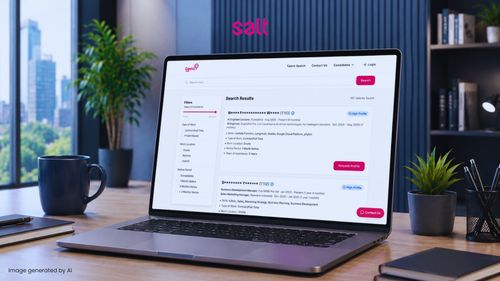
Technology Is Evolving Fast, but Hiring Still Slows Companies DownEvery industry today is racing to become more digital. Banks are improving mobile apps, FMCG companies are building customer loyalty platforms, and telco providers are scaling digital services faster than ever before.However, many companies face the same problem: they know what they want to build, but they struggle to find the right people to make it happen.Hiring technology talent is no longer just about posting jobs online and waiting for applications. Businesses now need specialists with specific experience, industry knowledge, and the ability to work in fast-moving environments.For many business owners and marketing leaders, this process can feel overwhelming because technical hiring is often difficult to evaluate.This is why smart talent search platforms are becoming increasingly important for companies that want to grow faster and stay competitive.The Problem With Traditional HiringTraditional recruitment processes are usually slow and manual.Companies often receive hundreds of CVs, but only a small percentage actually match the role requirements. HR teams spend weeks screening candidates, while technical teams repeatedly join interviews to verify skills.The result is:Delayed projects Slower product launches Higher hiring costs Increased pressure on internal teams In industries like banking, FMCG, FSI, and telecommunications, speed matters more than ever. When the right talent is not hired quickly enough, the impact goes beyond recruitment delays — it can directly affect business performance.A postponed banking feature can frustrate customers, delayed marketing platforms can reduce campaign momentum, and slow infrastructure projects can affect service performance. In highly competitive markets, even small hiring bottlenecks can slow innovation, affect customer experience, and limit business growth.Modern businesses simply cannot afford slow hiring anymore.What Is Smart Talent Search?Smart talent search is a more intelligent way to find and match technology professionals based on business needs.Instead of manually reviewing large numbers of applications, companies can use AI-powered systems to filter candidates based on:Technical skillsIndustry experienceProject relevanceAvailabilitySeniority levelPlatforms like Geekz Talent Search help enterprises identify suitable candidates faster and with better accuracy.This makes the hiring process simpler not only for HR teams, but also for non-technical decision makers who need clearer visibility into candidate quality.Why AI-Powered Matching Makes Hiring BetterOne of the biggest challenges in recruitment is a mismatch.Sometimes candidates look strong on paper but are not actually suitable for the project or business environment. This wastes time for both companies and applicants.AI-powered matching improves this process by analyzing candidate profiles more deeply. Instead of relying only on keywords, the system helps identify whether a person’s experience truly aligns with the role requirements.For example:A banking company may need engineers experienced in payment systems and security compliance An FMCG company may prioritize candidates with e-commerce and customer engagement experience A telco company may need cloud and infrastructure specialists By narrowing the search to more relevant candidates, businesses reduce recruitment risk and improve hiring quality.Industry Case Study: BankingA digital banking company planned to launch a new mobile feature before a major holiday season. The project required backend developers, cloud engineers, and QA specialists.The challenge was not the budget.The challenge was speed.The HR team struggled to identify candidates with the right banking technology experience, while deadlines became tighter every week.Using a smart talent search platform, the company filtered candidates based on:Banking system expertiseSecurity experienceAvailabilityTechnical specializationThis significantly reduced screening time and helped the company accelerate project delivery.More importantly, non-technical business stakeholders could better understand why each candidate was relevant to the project.Industry Case Study: FMCGAn FMCG company wanted to improve customer loyalty through a new digital rewards platform integrated with marketing campaigns and customer analytics.The marketing team understood the business goals clearly, but hiring the right technical team became a challenge. Traditional recruitment agencies sent many unrelated profiles, creating delays and confusion.With smarter talent search, the company quickly identified professionals experienced in:CRM systemsLoyalty platformsConsumer analyticsDigital product developmentThis allowed the business to launch campaigns faster and improve customer engagement without slowing down internal operations.Why Faster Hiring Matters for Business Growth?Technology hiring directly impacts business performance.When companies cannot hire quickly enough:Innovation slows downTeams become overloadedCustomer expectations are harder to meetCompetitors move fasterThis is especially important in industries where digital experiences influence customer loyalty and revenue growth.Faster hiring helps businesses:Launch products soonerImprove operational efficiency Reduce project delays Scale digital initiatives more confidently Instead of spending months searching for talent, enterprises can focus on execution and growth.Better Collaboration Between HR and Business TeamsOne hidden challenge in technology recruitment is communication.HR teams may not always understand technical requirements deeply, while technical teams may struggle to explain hiring needs in simple business terms.Smart talent search platforms help bridge this gap by creating clearer candidate profiles and structured filtering systems.This makes hiring discussions easier between:HR teams Technical leaders Marketing departments Business stakeholders For non-technical decision makers, this reduces uncertainty and improves confidence in hiring decisions.Why Specialized IT Talent MattersNot every developer or IT professional is prepared for enterprise-scale projects.Companies in banking, FMCG, FSI, and telecommunications often need professionals who understand:Large-scale systems Security standards High-performance infrastructure Customer-focused digital experiences Specialized talent reduces onboarding time and helps projects move more smoothly from planning to execution.This is why platforms like Geekz Talent Search focus on curated technology talent rather than generic recruitment databases.How Geekz by SALT Support Enterprise GrowthGeekz by SALT help enterprises simplify technology hiring through:AI-powered talent matching IT recruitment expertise Specialized talent pools Flexible hiring support Faster candidate shortlisting Our approach helps companies reduce recruitment complexity while improving hiring quality.For enterprises undergoing digital transformation, this creates a more scalable and efficient hiring process.The Future of Hiring Is Smarter and FasterAs digital transformation continues accelerating across industries, competition for technology talent will become even stronger.Businesses that modernize their hiring strategies today will have a better chance to:Innovate fasterDeliver better customer experiencesImprove operational agilityStay ahead of competitorsSmart talent search is no longer just a recruitment trend. It is becoming an important business strategy for companies that want to scale efficiently, strengthen their teams, and support long-term business growth.This is where Geekz by SALT helps companies hire smarter and faster through AI-powered talent matching, specialized IT recruitment expertise, and faster candidate shortlisting.By simplifying the hiring process and connecting businesses with more relevant technology talent, Geekz by SALT helps companies reduce hiring delays and build stronger, more scalable teams.Frequently Asked Questions regarding Smart Talent Search for EnterprisesWhat is Smart Talent Search?Smart talent search uses AI and intelligent filtering systems to help companies find suitable candidates faster based on skills, experience, and project needs.Why is IT hiring difficult today?Demand for technology talent continues to grow rapidly, especially for cloud, cybersecurity, AI, and digital product roles. This creates strong competition between companies.How does AI improve recruitment?AI helps reduce manual screening by identifying candidates that are more relevant to the job requirements, improving both hiring speed and quality.What industries benefit most from smart talent search?Industries with active digital transformation initiatives benefit the most, including:Banking FMCG Financial Services & Insurance Telecommunications Retail Can non-technical business leaders use talent search platforms?Yes. Modern platforms simplify candidate evaluation and help business stakeholders better understand hiring relevance and project fit.Why choose Geekz by SALT?Geekz by SALT combines technology recruitment expertise with AI-powered talent search solutions to help enterprises hire faster, reduce hiring risks, and support digital transformation initiatives. Ready to Build Your Digital Team Faster?Whether you are scaling banking platforms, launching FMCG digital campaigns, modernizing financial systems, or expanding telecommunications infrastructure, finding the right talent quickly can make a major difference.Partner with SALT Indonesia and explore Geekz Talent Search to discover qualified technology professionals faster and more efficiently. Contact our team today and accelerate your digital transformation journey.

Privilege Escalation: The Real Battlefield of Cybersecurity in 2026

Privilege Escalation: The Real Battlefield of Cybersecurity in 2026

April 2026 marked a pivotal moment in cybersecurity. In a single Patch Tuesday release, Microsoft addressed more than 160 vulnerabilities — nearly double the previous month's — signaling not just a surge in volume but also a shift in how modern attacks are executed.A large portion of these vulnerabilities were tied to privilege escalation — an attack technique that allows threat actors to turn minimal access into full system control. This reflects a critical change: attackers are no longer focused on breaking in, but on taking over once inside.As organizations continue to rely on perimeter defenses, the real battlefield has already moved inward — into identities, permissions, and trusted system interactions.So what makes privilege escalation so effective? Let's take a closer look!How Attackers Turn Small Access into Full System ControlBefore diving deeper, it's important to understand what privilege escalation really means in today's threat landscape.Privilege Escalation is a technique where an attacker gains higher access rights than originally intended — often moving from a basic user account to administrative or system-level control. What makes it especially dangerous is not its complexity, but its efficiency.In most modern attack scenarios, the process is surprisingly straightforward:An attacker gains initial access (e.g., phishing, leaked credentials)A vulnerability or misconfiguration is exploitedAccess rights are elevated to the admin or system levelFull control over systems, data, or infrastructure is achievedThis means attackers no longer need to "break through" multiple layers of defense, they only need to expand what they already have.Why Privilege Escalation is DominatingRecent trends show that privilege escalation is no longer a secondary step. Iit has become the primary objective in many attacks.Around 57–60% of disclosed vulnerabilities are linked to escalation techniquesAttackers only need low-level access to beginEscalation provides the fastest route to full system compromiseModern attack strategies prioritize control over entryIn other words, once inside, attackers can move quickly from a limited foothold to complete dominance—often without triggering traditional security alerts.The Collapse of Perimeter-Centric ThinkingFor years, cybersecurity strategies have been built around a simple assumption: threats come from outside the network. But that assumption no longer holds.Modern attacks often begin with valid, authenticated accessInternal systems tend to over-trust logged-in usersSuspicious activity can appear legitimate and go unnoticedSecurity tools are still heavily focused on blocking external threatsThis creates a dangerous gap. While organizations continue to strengthen their outer defenses, attackers are already operating inside — quietly escalating privileges and expanding control.The result is clear: perimeter security alone is no longer enough in a landscape where the real risk comes from within.How Modern Attacks Exploit Internal TrustAs privilege escalation becomes more dominant, attackers are increasingly shifting their focus to one of the most overlooked weaknesses in modern systems: implicit trust.Once inside, attackers don’t need to break defenses — they operate within them, leveraging the same permissions, workflows, and system logic that legitimate users rely on every day.The Hidden Danger of Authenticated AccessOne of the biggest misconceptions in cybersecurity is that a logged-in user is a trusted user. In reality, authenticated access often becomes the starting point of an attack:Systems inherently trust users who have successfully logged inEven accounts with limited privileges can be leveraged for escalationMany attack activities occur after authentication, not beforeMalicious actions can blend in with normal user behavior, making detection difficultThis creates a dangerous scenario where attackers don’t need to bypass security — they abuse it from within.Exploiting System ComplexityModern IT environments are no longer simple or isolated. They are made up of interconnected systems, services, APIs, and dependencies — each introducing new layers of complexity.Attackers take advantage of this complexity in several ways:Leveraging interactions between legitimate system componentsChaining multiple low-severity vulnerabilities into high-impact attacksExploiting misconfigurations across services and integrationsNavigating through systems using trusted processes and workflowsBecause these actions often involve legitimate system behavior, they are significantly harder to detect using traditional security tools.In this environment, complexity doesn’t just increase operational challenges. It expands the attack surface in ways that are difficult to see, track, and control.The New Attack Chain: Faster, Quieter, More DangerousToday’s attackers prioritize speed & stealth. Moving quickly from initial access to full control, often before security teams have time to respond.The Modern Attack Flow (2026 Model)In 2026, the traditional attack model has been compressed into a much shorter and more efficient chain:Initial AccessGained through phishing, credential leaks, or compromised third-party accountsPrivilege EscalationExploiting vulnerabilities or misconfigurations to gain higher-level accessFull System ControlAdministrative dominance over systems, data, and infrastructureThis streamlined flow drastically reduces the time between entry and impact. In many cases, attackers require little to no further user interaction once initial access is obtained.Fewer steps → faster executionLess visibility → harder detectionShorter timelines → reduced response windowReal-World Signals from Recent VulnerabilitiesRecent vulnerability trends reinforce how quickly this new attack chain is being operationalized.A growing number of disclosed vulnerabilities are focused on privilege escalationPublic proof-of-concept (PoC) exploits are increasingly availableThreat actors can adapt and weaponize exploits within days of disclosureThe gap between vulnerability discovery and real-world exploitation continues to shrinkThese signals highlight a critical reality: organizations no longer have the luxury of a delayed response. The speed at which vulnerabilities are discovered, shared, and exploited has fundamentally changed the dynamics of cyber risk.Why Cybersecurity Automation is Becoming CriticalThe core issue is "Visibility & Speed." Most organizations lack continuous insight into how access evolves inside their systems. Once an attacker gains initial access, privilege escalation can happen quietly — often without triggering traditional alerts.At SALT, this shift is clear: security is no longer about periodic checks, but about continuous control.Organizations need the ability to monitor, validate, and respond to risks in real time before escalation turns into a full system compromise.Cybersecurity Automation becomes the key enabler through a structured approach:Continuous VisibilityIdentify vulnerabilities and access changes as they happenAutomated ResponseReduce patching delays and eliminate manual bottlenecksReal-Time Access ControlContinuously validate user privileges and detect anomaliesOngoing Risk ReductionMinimize the window of opportunity for attackers to escalateBy implementing this approach, organizations can significantly limit how far an attacker can move within a system, even after initial access is gained.Frequently Asked Questions (FAQ)What is privilege escalation in simple terms?Privilege escalation is when an attacker gains higher access rights than they are supposed to have, often moving from a basic user account to full administrative control.Why is privilege escalation a major threat in 2026?Because attackers no longer need deep system access. A single compromised account can be enough to escalate privileges and take over critical systems quickly and silently.How do attackers typically gain initial access?Common methods include:Phishing emailsStolen or leaked credentialsCompromised third-party or vendor accountsOnce inside, attackers focus on escalating access rather than re-entering the system.Can traditional security tools detect privilege escalation?Not effectively. Most traditional tools are designed to detect external threats, while privilege escalation happens internally and often appears as legitimate activity.What are the signs of a privilege escalation attack?Some indicators include:Unusual changes in user permissionsUnexpected access to sensitive systems or dataAbnormal behavior from standard user accountsSudden use of administrative privilegesHow can organizations reduce the risk of privilege escalation?Organizations should:Enforce least privilege accessContinuously monitor user activityPatch vulnerabilities as quickly as possibleImplement automated security processesIs patching alone enough to prevent these attacks?No. While patching is critical, it must be combined with continuous monitoring and automated response to reduce risk effectively.Why is cybersecurity automation important in this context?Because modern attacks happen too quickly for manual response, automation enables real-time detection, faster patching, and continuous validation — reducing the window attackers have to escalate privileges.Let’s Rethink Controls in Modern CybersecurityPrivilege escalation has reshaped how modern attacks unfold. A single compromised account is often enough to expand access, move laterally, and ultimately gain full control — without triggering obvious alerts.This reality exposes a critical gap in traditional security approaches. Perimeter defenses alone are no longer sufficient, as the real risk lies in how access is used, validated, and controlled inside the system.----------------Ready to Take Control of Your Internal Security Posture?Discover how SALT helps organizations reduce risk through Automated, Continuous Cybersecurity Strategies. It's designed to limit an attacker's movement and prevent escalation before it leads to a full compromise.👉🏻 Book a strategic consultation with our experts ≫

EduLite: Grow People Capability to Power Company Growth

EduLite: Grow People Capability to Power Company Growth

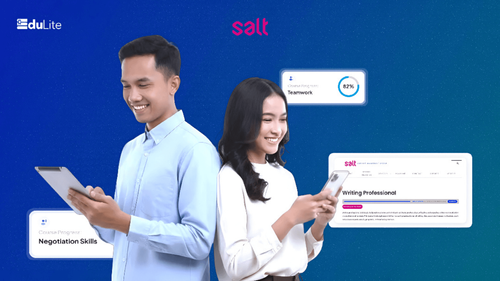
The Strongest Companies Invest in People FirstEvery company wants to grow—higher productivity, stronger performance, and long-term competitiveness. Yet organizations that consistently succeed understand one fundamental truth: while technology supports growth, it is people—their capabilities, decisions, and collaboration—that ultimately determine a company’s success.Skills, leadership, communication, and adaptability shape how well a business performs in a rapidly changing market. When teams grow in capability, productivity follows naturally. However, corporate learning often becomes complex, slow, and expensive. Training programs can take months to launch, systems frequently depend heavily on IT, and learning impact is difficult to measure—especially in industries such as banking, FMCG, financial services, telecommunications, and digital businesses.EduLite by SALT was created to solve this challenge by making people development simple, fast, and effective—helping organizations build capability and productivity at scale without adding operational complexity.What is EduLite by SALT?EduLite by SALT is a lightweight, modern learning management system (LMS) designed to help companies increase employee capability and productivity—without technical complexity.Unlike traditional LMS platforms that require long setup times and heavy IT involvement, EduLite focuses on speed, simplicity, and real business outcomes.With EduLite, companies can:Train employees consistently across teamsBuild critical soft skills and leadership capabilitiesLaunch learning programs in days instead of monthsTrack learning progress clearly and measure impact easilyEduLite is designed for leaders who want results, managers who need visibility, and HR teams who need speed—without turning learning into an IT project.Productivity Starts by Building Capable PeopleProductivity is not only about working harder—it is about working smarter, communicating better, and making better decisions.Across banking, FMCG, financial services, telecommunications, and IT industries, productivity challenges often stem from:Poor communication between teamsLack of leadership readinessInconsistent onboarding and trainingEmployees being unclear about expectations or best practicesEduLite by SALT shifts learning from a one-off training activity into a continuous capability engine, directly supporting day-to-day performance and sustainable productivity.The Problem with Traditional Learning SystemsMany organizations already use learning platforms—but still struggle to see results.Common challenges include:Long deployment timelines that delay training initiativesHigh costs for system setup, customization, and maintenanceDependence on IT teams for even small changesLimited or expensive soft-skills contentLow engagement from modern learners, especially Gen ZAs a result, learning often becomes a checkbox activity rather than a true productivity driver.How EduLite Helps Increase Capability and ProductivityEduLite is designed around how people actually learn and work today.Faster Skill Readiness Through Simple Learning DesignEduLite enables employees to apply new skills immediately, improving performance without disrupting daily operations. It supports:Bite-sized, focused learning modulesSelf-paced or scheduled coursesClear learning paths with prerequisitesBuilt-In Soft Skills That Drive Real Business ResultsMany organizations underestimate the impact of soft skills. EduLite includes ready-to-use content such as:Communication and professional writingLeadership and team buildingProblem-solving and decision-makingTime management and negotiationBasic AI skills for modern workplacesThese capabilities will directly improve:CollaborationDecision qualityCustomer interactionsTeam efficiencyClear Visibility for Managers and LeadersThe visibility helps leaders make better people decisions, focus development efforts, and improve overall productivity. That's why EduLite provides simple dashboards and reports that show:Who has completed trainingWhere learning gaps existProgress by team, role, or departmentHow EduLite Supports Real Business Needsa. Banking & Financial ServicesChallenge: Ensuring consistent onboarding, compliance awareness, and leadership development across large, distributed teams. How EduLite Helps:Standardized learning paths ensure consistencyCertificates validate completion and readinessReal-time reporting supports audits and reviewsResult: Faster onboarding, stronger leadership pipelines, and reduced training costs.b. FMCG IndustryChallenge: High employee turnover and frontline teams with limited training time.How EduLite Helps:Short, engaging modules fit daily workflowsMobile-friendly access supports field teamsProgress tracking highlights completion risks earlyResult: Faster time-to-productivity and improved frontline engagement.c. Telecommunications IndustryChallenge: Rapid technology changes and the need for continuous upskilling.How EduLite Helps:Flexible, self-paced learning adapts to busy schedulesSoft skills content strengthens cross-team collaborationAnalytics show training effectivenessResult: More agile teams and better coordination between technical and business units.d. IT & Digital CompaniesChallenge: Technical experts promoted into leadership roles without preparation.How EduLite Helps:Structured leadership learning pathsReady-made soft skills contentMinimal administrative overheadResult: Stronger managers, clearer communication, and higher team productivity.The Business Benefits of Using EduLite by SALTOrganizations using EduLite experience tangible outcomes:Up to 40% reduction in training costsFaster onboarding and role readinessHigher learning engagement and completion ratesReduced dependency on internal resourcesClear ROI from people development initiativesLearning becomes a growth accelerator, not an operational burden.Why EduLite Fits the Way Teams Actually WorkLearning only creates impact when it moves as fast as the business.Many learning initiatives slow down because systems are rigid, complex, and disconnected from daily work. When learning feels separate from real challenges, engagement drops—and productivity suffers. EduLite was designed to remove this gap.EduLite keeps learning clear, practical, and easy to manage, allowing teams to focus on building capability rather than managing tools.Teams benefit from:Clear, intuitive dashboards that make progress visible instantlySimple course and reporting management that supports faster decisionsQuick adjustments and fast rollout as business needs evolveThe result is a learning experience that feels natural, not disruptive—where capability development becomes part of everyday work.People Development Is the Smartest Growth StrategyMarkets change. Technologies evolve.But organizations that continuously invest in their people stay competitive.EduLite by SALT enables companies to:Build capability fasterIncrease productivity sustainablyDevelop leaders at every levelCreate a consistent learning cultureBecause when people grow, business performance follows.Frequently Asked Questions (FAQ) What is EduLite by SALT?EduLite is a lightweight learning management system designed to help organizations develop employee capability quickly, consistently, and at scale.How does EduLite improve productivity?By strengthening communication, leadership, and decision-making, EduLite helps teams work more effectively and collaboratively.Is EduLite suitable for non-IT companies?Yes. EduLite is designed for business and HR teams and does not require technical expertise to manage.How fast can a company start using EduLite?EduLite can be deployed in days, allowing learning programs to start almost immediately.Does EduLite include ready-made training content?Yes. EduLite includes soft skills and leadership content that can be used instantly.Start Investing in Your People TodayIf your organization wants to:Increase team capability without complexityImprove productivity through structured learningLaunch training programs quickly and scale with confidenceConnect with SALT to see how EduLite can support your growth strategy.Talk to SALT today and turn people development into a measurable business impact.

Display Hub: Control Every Screen, Anywhere with Intelligent Automation

Display Hub: Control Every Screen, Anywhere with Intelligent Automation

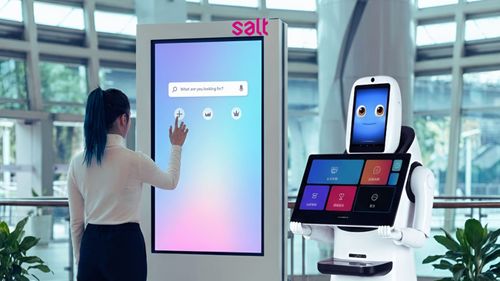
When Screens Become Strategic AssetsIn modern enterprises, screens are no longer just display tools—they are communication channels that shape customer experience, employee engagement, and operational efficiency. From branches and offices to factories, hospitals, and public spaces, screens are everywhere.Yet many organizations still struggle with slow updates, inconsistent messaging, lack of centralized control, and no real visibility into performance. Urgent announcements often take too long to reach the right screens at the right time.This is where SALT introduces Display Hub: an intelligent platform that transforms every screen into a smart, real-time communication channel.What Is Display Hub?Display Hub is an enterprise-grade display management solution that allows organizations to control, update, and monitor all their digital screens from a single platform.With Display Hub, businesses can:Manage screens across all locations centrallyPush content instantly or schedule it in advanceBroadcast emergency messages in one clickMaintain consistent, on-brand communicationGain insights through analyticsInstead of managing screens manually, Display Hub brings automation, speed, and clarity to enterprise communication.The Business Challenges Display Hub SolvesMany organizations face similar challenges:Content updates are manual and slowMessaging differs between branches or locationsEmergency announcements are hard to deploy quicklyDisplay layouts feel repetitive and outdatedThere is little insight into how screens performDisplay Hub is designed to remove these barriers by combining centralized control, automation, and AI-powered features into one unified system.Key Features That Power Display HubEmergency Broadcast OverrideInstantly override all scheduled content to deliver urgent messages across every screen—ideal for safety alerts and critical announcements.AI-Powered Auto-LayoutSimply type a message and let AI turn it into a clean, professional, and branded visual—no design skills required.Live StreamingTurn your screen network into a real-time broadcast channel for live events, updates, or internal communications.Scheduled Content UpdatesPlan and automate content rollouts by time, location, or screen—ensuring the right message appears at the right moment.Advanced AnalyticsTrack screen activity and content performance to support better decisions and measurable results.Scalable and Reliable PerformanceWhether managing dozens or thousands of screens, Display Hub delivers consistent performance at enterprise scale.Compatibility: Works with What You Already HaveDisplay Hub is built to fit easily into existing environments, so organizations can adopt it without replacing hardware or overhauling systems.Display Hub is compatible with:Multiple devices: Smart TVs, set-top boxes, and commercial displaysOperating systems: Android, Linux, and Windows-based devicesContent formats: Video, motion graphics, images, and visual messagesIt also supports offline mode, allowing screens to continue playing content even if the connection is lost. Once connectivity returns, updates sync automatically.This flexibility ensures Display Hub works reliably across branches, public spaces, industrial sites, and enterprise offices—without added complexity.How Display Hub WorksDisplay Hub uses a centralized system to manage content storage, scheduling, and distribution. A lightweight application installed on each screen or device securely fetches and displays content in the background.Key advantages include:Centralized control from one dashboardSeamless content delivery across locationsOnline and offline operationConsistent playback and updatesThis architecture ensures smooth operation without disrupting daily business activities.Industry-Specific AdvantagesDisplay Hub adapts easily to different industries and environments:RetailInstantly update promotions and create dynamic in-store experiencesHospitalityManage lobby screens, menus, and event signage from one placeTransportationDeliver real-time updates and emergency alertsCorporate OfficesStreamline internal announcements and eventsHealthcareUpdate patient information and emergency notices quicklyEducationManage campus-wide announcements and digital notice boardsManufacturingDisplay safety alerts and production updates on factory floorsBanking & Financial ServicesShare compliance messages and promotions across branchesGovernment & Public ServicesBroadcast public announcements and critical alertsWhy Enterprises Choose Display HubOrganizations choose Display Hub because it combines ease of use with enterprise-grade capability:Intuitive interface for business usersSecure and reliable infrastructureInsight-driven analyticsFlexible deployment optionsDedicated support for continuous operationDisplay Hub turns screens into active communication assets, not passive displays.Frequently Asked Questions (FAQ)What is Display Hub in simple terms?Display Hub is a platform that lets organizations control and update all their digital screens from one central system.Is Display Hub compatible with existing screens?Yes. Display Hub works with common display devices and supports Android, Linux, and Windows-based systems.Can Display Hub work without an internet connection?Yes. Screens continue playing content in offline mode and automatically update when the connection returns.Is Display Hub suitable for non-technical teams?Yes. The interface is designed for business users and does not require technical expertise.Which industries benefit most from Display Hub?Retail, banking, healthcare, education, manufacturing, hospitality, transportation, and government organizations all benefit significantly.How can my organization get started?You can contact SALT to request a demo or proof of concept tailored to your needs.Take Control of Every ScreenIf your organization wants to:Centralize screen managementDeliver real-time and emergency communicationsEnsure consistent messaging across locationsGain visibility into display performanceContact SALT today to explore how Display Hub can transform your screens into powerful, intelligent communication channels.

Access Audit Pro: When User Access Assurance Runs Itself

Access Audit Pro: When User Access Assurance Runs Itself

The Hidden Cost of Manual Access ReviewsUser access reviews are a non-negotiable requirement for modern enterprises. Yet for many organizations, they remain one of the most manual, time-consuming, and error-prone processes in IT and security operations.Security teams still spend hours updating spreadsheets, capturing screenshots, validating permissions, and preparing audit evidence—every audit cycle, across every system. The result is slow reviews, inconsistent documentation, and unnecessary operational risk.Enterprises already require audits. Access Audit Pro makes them effortless.This is exactly the challenge SALT set out to solve with Access Audit Pro: a solution designed to turn recurring access reviews into a smooth, intelligent, and fully automated process, where access assurance effectively runs itself.Why Enterprises Need a Smarter Approach to Access AuditsLarge organizations already maintain rigorous access control frameworks, policies, and governance models. The real problem is not policy—it is execution.Traditional access audits:Depend heavily on manual effortRequire repetitive spreadsheet updates and screenshot collectionTake hours or days to completeProduce inconsistent evidenceCreate stress during audit periodsAccess reviews still rely on people clicking, copying, and validating repeatedly—but they don’t have to.Access Audit Pro does not change your framework.It simply executes it faster, smarter, and more consistently—bringing automation to where your team already works.What was once a manual task becomes a one-click or scheduled process.A Better Way Forward: Automate Your Controls, Elevate Your FocusAccess Audit Pro empowers teams to move from repetitive checking to continuous confidence.Instead of preparing for audits, organizations remain audit-ready at all times, supported by automated validation and instant evidence generation.Key outcomes include:Automated validation across key systemsInstant, audit-ready evidenceReal-time compliance insight with zero manual touchWhat is Access Audit Pro?Access Audit Pro is an enterprise-grade automation platform that continuously validates user access across critical systems and generates audit-ready evidence automatically.It connects directly to enterprise applications, executes access validations against approved User Access Control Lists (UACL), captures screenshots and extracted data, and produces standardized compliance reports—without manual intervention.In simple terms:If your audit process still relies on humans clicking, copying, and documenting, Access Audit Pro makes it run itself.How Access Audit Pro Works: From Input to InsightAccess Audit Pro follows a structured, automated workflow designed for enterprise environments:Setup & InitiateTeams prepare the approved UACL reference using standardized templates and define the audit scope. Audits can be started manually or scheduled to run daily or weekly.Automated CollectionA secure automation agent logs into each target system’s User Access Management interface using authorized credentials.It navigates through the application, extracts user and permission data, and captures screenshots of access configurations as evidence.Automated ComparisonActual access is checked against the approved UACL reference.Any deviations or unauthorized access are identified automatically.Evidence HandlingAll screenshots, extracted data, and comparison results are stored in a centralized evidence repository.Report GenerationReports are produced in standardized formats (such as Excel) and stored in designated locations like SharePoint. The system generates an Audit Compliance Report summarizing:Scope of the audit (applications and users)Compliance results and deviationsThe entire process completes in minutes, not hours or days.What Makes Access Audit Pro DifferentAccess Audit Pro is built specifically for large-scale enterprise environments, with a focus on precision, speed, and simplicity.Key differentiators include:80% faster audit preparation100% consistency in validation resultsAlways audit-ready, with zero disruptionWorks with existing systems and workflowsEnterprise-grade security and ISO-aligned governanceAccess reviews move from a periodic burden to a continuous confidence mechanism.Expanded Capability: Seamless Automation, Real ResultsAccess Audit Pro delivers seamless automation across key platforms, producing real operational outcomes rather than just compliance artifacts.Microsoft 365Automated validation of Office 365 users, group memberships, and SharePoint memberships against approved UACLs.Complete evidence packages are generated in minutes, while automated reviews deliver daily compliance visibility and support ISO 27001 requirements. Active and expired access is continuously checked to reduce licensing waste and access risk.GitLabContinuous validation of users, roles, projects, groups, and access tokens strengthens Secure Software Development Lifecycle (SSDLC) governance.Automated reviews reduce the risk of source code exposure and ensure only authorized access remains active.JIRAAutomated validation ensures user permissions align with approved roles and governance policies.Evidence is generated instantly, improving audit readiness and reducing review cycles from days to minutes.GitHubContinuous access validation across users, repositories, teams, and access tokens reinforces SSDLC governance.Automated checks prevent privilege creep and maintain traceable access control across source code environments.Custom HRIS ApplicationsAutomated access reviews validate role-based access, active and expiry permissions, and segregation of duties within custom HCIS platforms.Daily compliance visibility is delivered with consistent, audit-ready evidence.Technology That Works in HarmonyAccess Audit Pro is built on a modern, cloud-native architecture designed for secure, traceable audits:Presentation LayerA web-based audit dashboard used by business users and auditors to define the scope and start audits.Automation LayerA Python- and Playwright-based RPA audit engine that logs into target systems (including MFA-protected environments), captures screenshots, and executes validations.Storage & Reporting LayerCentralized storage of screenshots and Excel reports in Microsoft SharePoint.Users trigger audits with one click or scheduled runs and receive automatic notifications when reports are ready. Every audit produces consistent, standardized, review-ready outputs.Why Access Audit Pro Matters to Business LeadersFor Security & Compliance TeamsConsistent enforcement of least privilege and segregation of duties, with audit-ready evidence available at any time.For IT TeamsElimination of repetitive manual work and simplified access governance across platforms.For ExecutivesReduced audit risk, lower operational costs, and clear compliance visibility without increasing headcount.Access assurance becomes proactive and continuous, not reactive.Built for Continuous Audit ReadinessWith Access Audit Pro, organizations achieve:Faster reviewsClearer evidenceContinuous confidenceEvery audit is traceable, standardized, and ready for internal or external review.Frequently Asked Questions (FAQ)What is Access Audit Pro in simple terms?It is an automation platform that reviews user access, captures evidence, and generates audit-ready reports without manual effort.Does Access Audit Pro replace existing governance frameworks?No. It works with existing policies and frameworks, executing them automatically and consistently.Which platforms are supported?Microsoft 365, GitLab, JIRA, GitHub, and custom HRIS applications.Is Access Audit Pro designed for large enterprises?Yes. It is built specifically for complex, large-scale environments with strict compliance requirements.How quickly can organizations see results?Access review cycles are reduced from hours or days to minutes, immediately.Let's Make Access Audits EffortlessManual access reviews slow enterprises down and introduce unnecessary risk.Organizations can get started by:Scheduling a live demoLaunching a proof of concept (PoC)Requesting a tailored proposalAccess Audit Pro allows enterprises to experience automation firsthand and evaluate its impact independently.Contact SALT today to explore how Access Audit Pro can transform your access governance with intelligent automation.